- Get Started
- Video Tutorials
- Knowledge Base
- Channels
- Listings
- Inventory
- Orders
- Settings
- FAQs & Troubleshooting
How to Sync Listings from Shopify 、Amazon、TikTok、eBay、Etsy、WooCommerce、Shein store to Amazon Store?
In 4Seller, Products under "Published" in Shopify 、Amazon、TikTok、Shein、eBay、Etsy、WooCommerce Store can be sync to Amazon store through "Copy to Stores" and "Copy by shop"!
Entrance 1: Listings--Listing migration--select migrate from which platform--enter the migration page
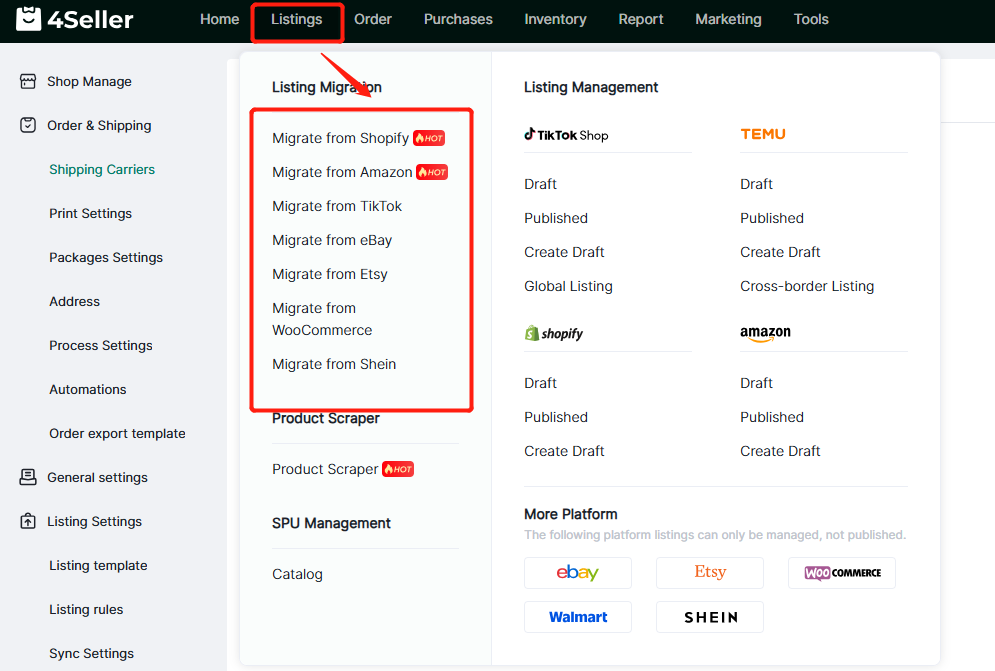
Entrance 2: Click the Platform page-Published--then will see the "copy to stores" & "copy by shop"

Method One: Copy to stores
1. Click single & some listings which need to be migrated, click "copy to stores".
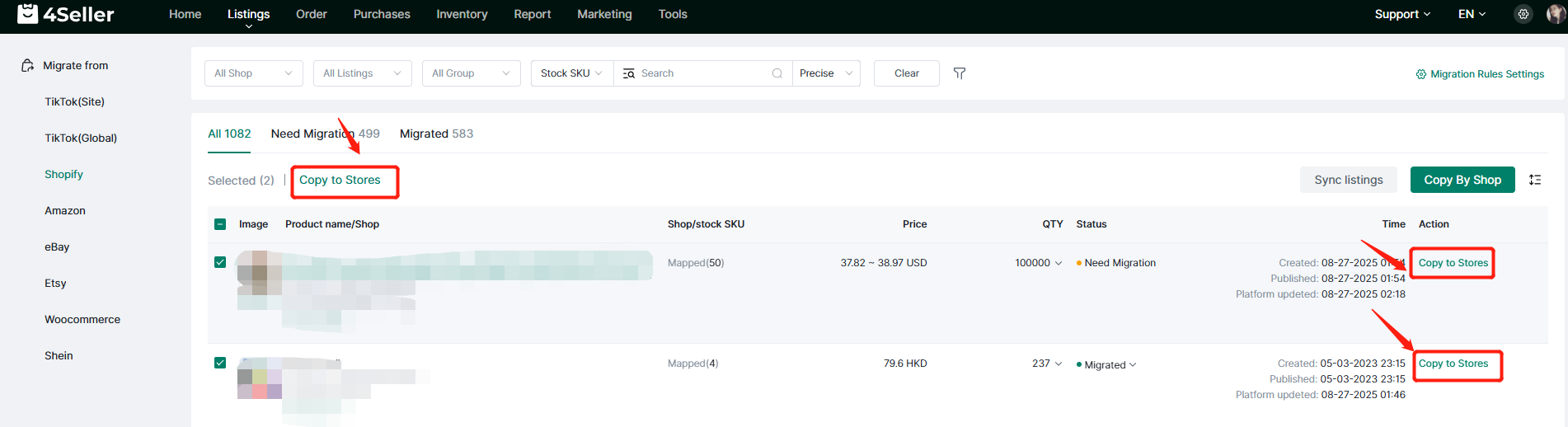
Note: In the Migration page, Need Migration means the listings didn't be migrated. Migrated means the listings have been migrated.

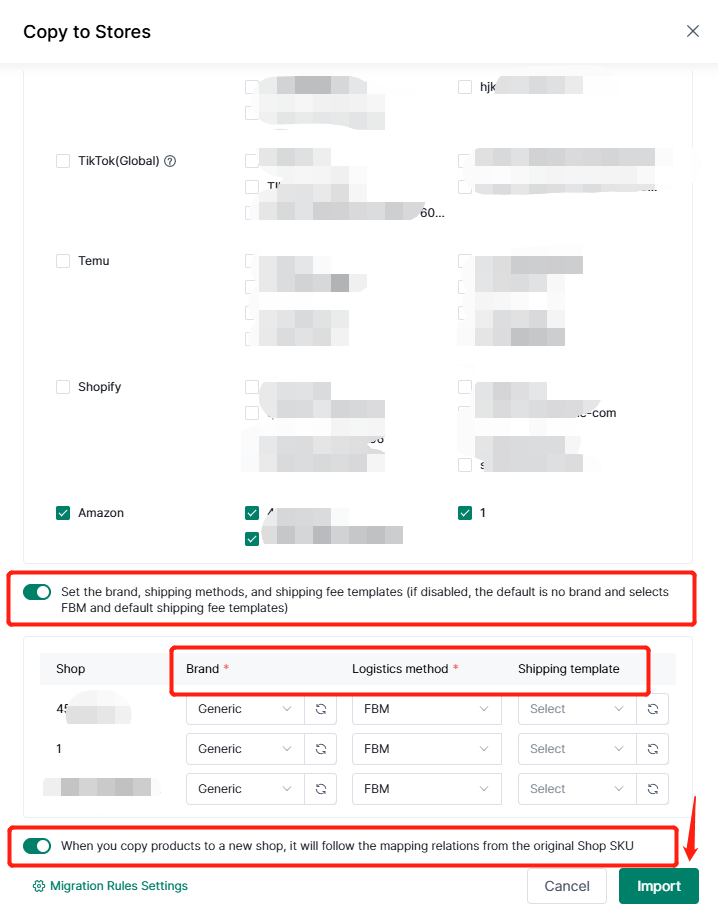
In the migrated page, pls take the action below:
1. Select "Aamzon" platform, and the Stores.
2. Select to fill brand, Logistics method, shipping template.
3. Open & close the button to select if map the relations from original shop sku.
Finally, click "import."
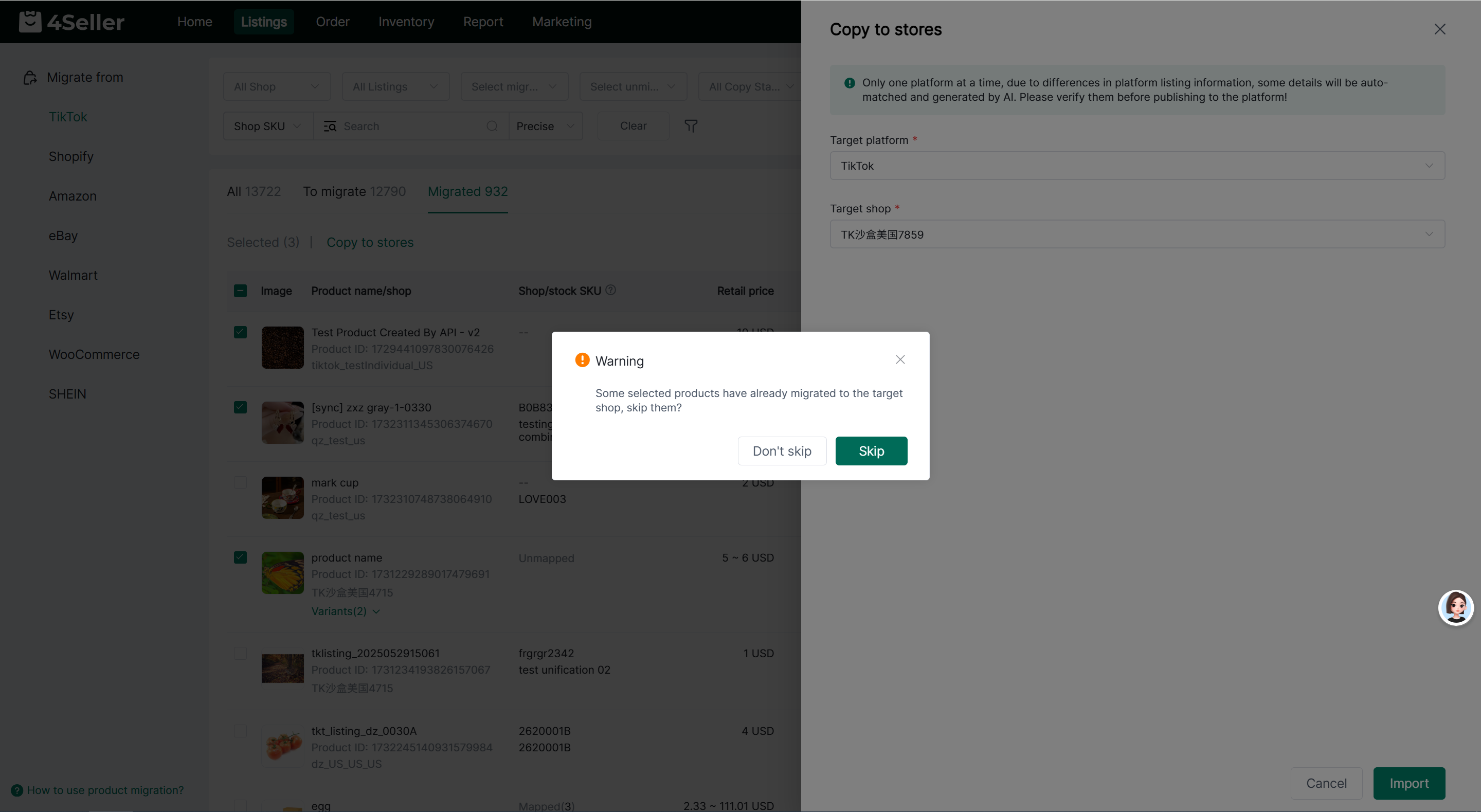
If some products have already been migrated to the target store, the system will prompt whether to skip these products. Click [skip] and the system will skip migrated products and continue migrating the rest; click [Do Not Skip] to migrate all products.
If all products have been migrated to the target store, the system will ask whether to proceed with migration. You may choose to continue or cancel as needed.
Note: Shopify and Amazon support selecting multiple target stores. The system will check the product migration status separately for each target store.
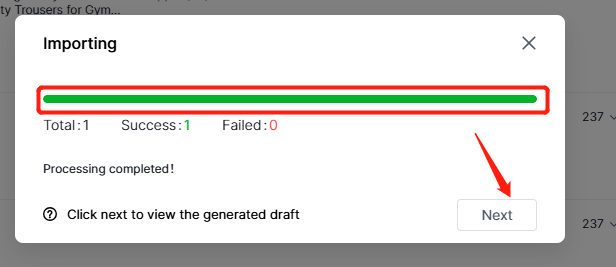
When the green bar is loading, clcik "Next" will turn to the Amazon draft page to edit the listings.
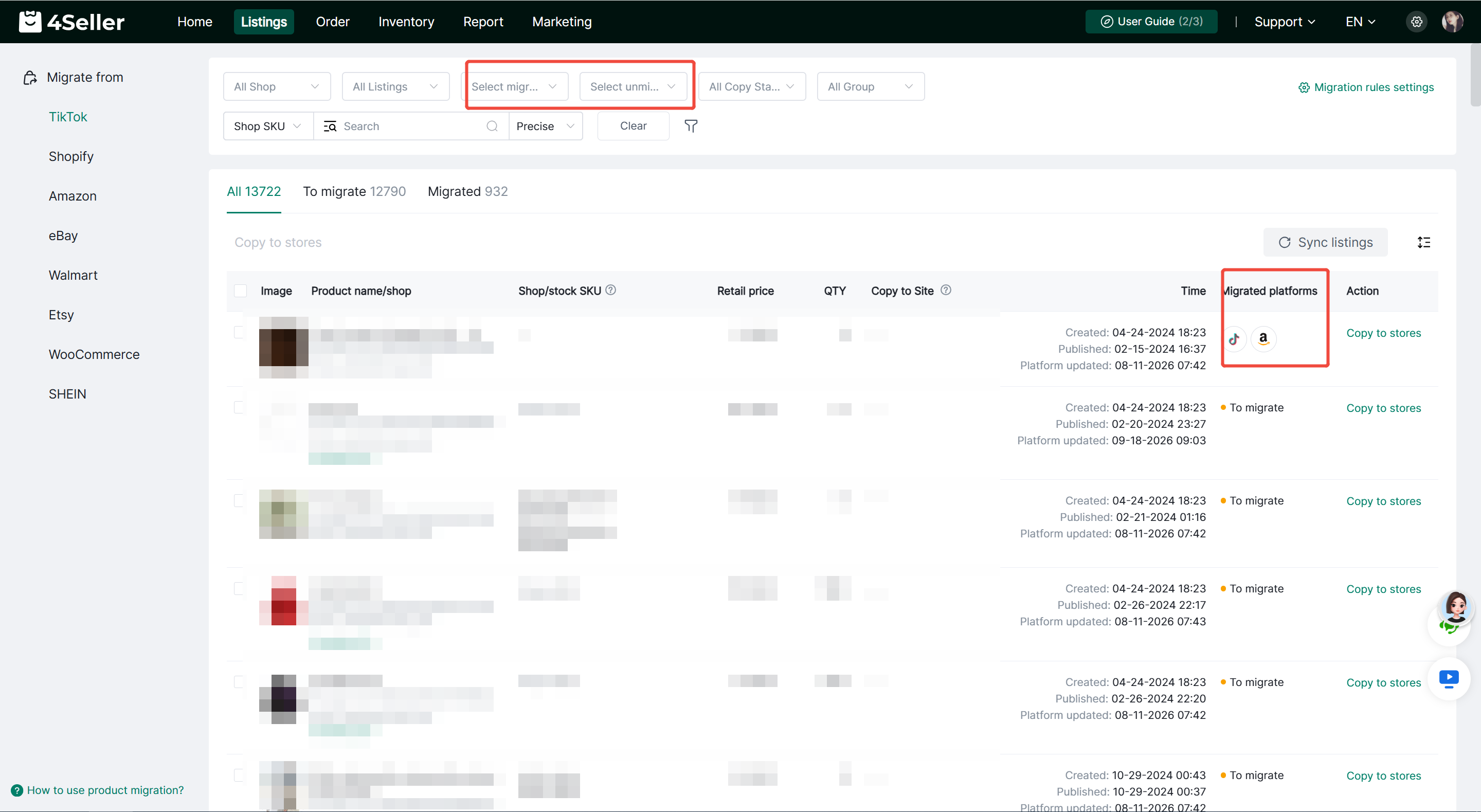
You can also filter products by [Migrated Stores] and [Unmigrated Stores] to quickly check the migration status of products for selected stores.
The [Migrated Platforms] column in the product list displays icons of platforms to which the products have been migrated. Click the platform icon to view details of the migrated product, including target store, product image, title, product ID, store SKU, price, status and migration time.
In the Amazon draft page, you can clcik edit to enter the edit page, refer the help article to edit listings then publish to Amazon store: How to Publish products to Amzon stores Within 4Seller?

Method Two: Copy by shop
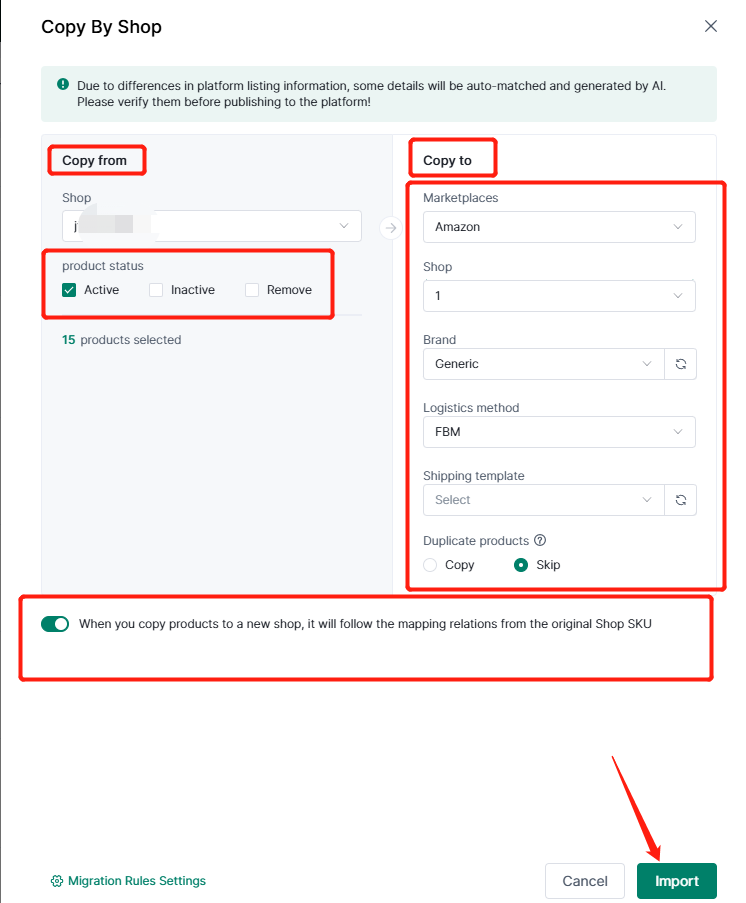
In the migration page, click "copy by shop" button can sync whole store listings to another stores.

In the migrated page, pls take the action below:
1. Select "copy from" shop, and products status with "Active", "Inactive", "Remove".
2. Select "Marketplace--Aamzon" and the Stores.
3. Select to fill brand, Logistics method, shipping template.
4. Open & close the button to select if map the relations from original shop sku.
Finally, click "import."
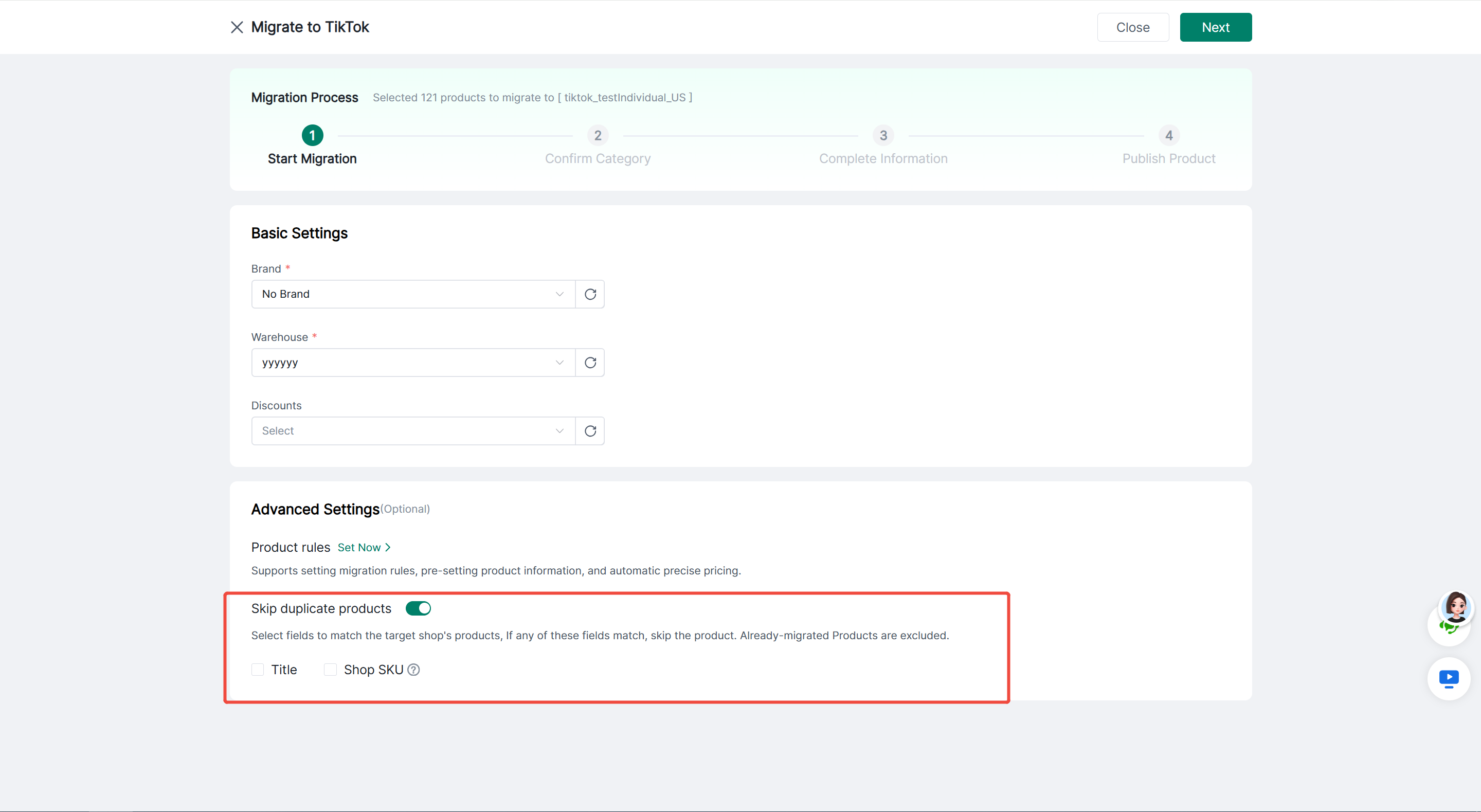
Copy by Shop supports the option to skip duplicate products. When enabled, you can select product matching fields in Advanced Settings:
- Title
- Store SKU
A product is identified as duplicate and skipped if any of the checked fields match. Previously migrated products are excluded from duplicate detection.
If some duplicates are detected, the system will show the quantity of products to be skipped and the quantity to continue migrating. If all products are duplicates, you must turn off [Skip Duplicate Products] before proceeding with migration.
Another steps same as "Copy to stores".
View Migration Records
Product migration records are automatically updated according to the current product status:
After a product is migrated to the target store, the corresponding migrated platform and store will be recorded.
When a migrated product is deleted from the target store, the associated migration record will be automatically removed.
When the target store is deleted, all migration records linked to this store will be automatically cleared.
If all migrated stores are deleted, the product status will revert to Pending Migration.
You can use the filters [Migrated Stores] and [Unmigrated Stores] to quickly check whether a product has been migrated to the specified store, facilitating supplementary migration or re-migration later.
If have any problems, feel free to contact 4Seller Support Team: support@4seller.com.